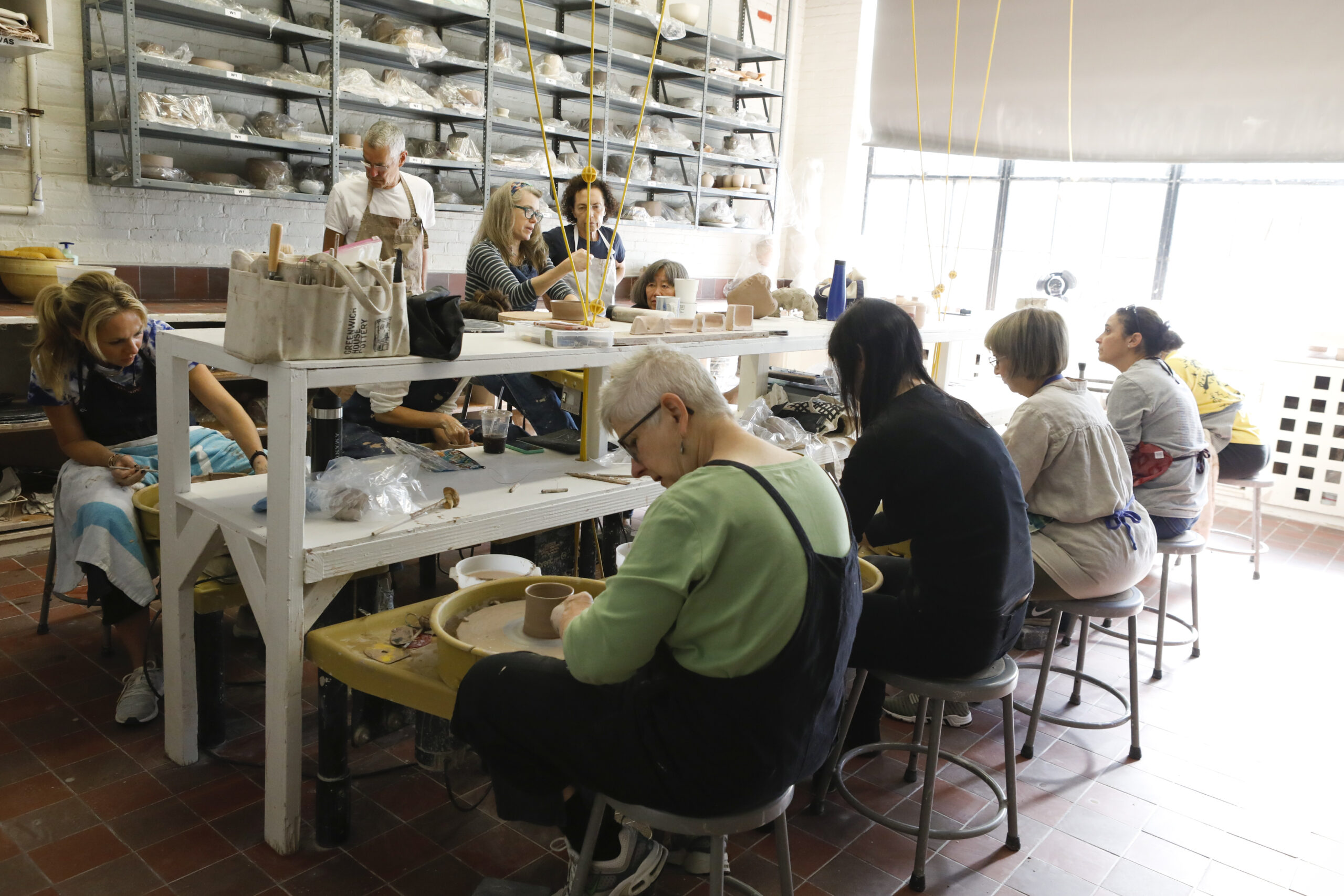
Registration Begins for Fall 2024 Pottery Classes
Registration for fall 2024 classes at Greenwich House Pottery begins Wednesday, August 21 at 12:00 p.m. EST for our 16 Jones St. location, and at 6:00 p.m. for the Chelsea studio.
Registration for fall 2024 classes at Greenwich House Pottery begins Wednesday, August 21 at 12:00 p.m. EST for our 16 Jones St. location, and at 6:00 p.m. for the Chelsea studio.
Due to the current National Weather Service forecast, three of our Older Adult Center locations will operate as cooling centers on Wed., August 28 from 9 a.m. to 5 p.m. This service is free and open to the public. These locations are ready to welcome you in beating the heat with air conditioning, cold water, seating, and […]
Join our Open Computer Lab session for self-guided learning activities! Whether you’re a beginner or advanced user, bring your questions or projects to practice in a supportive environment. Our staff will provide light assistance with any technical challenges. The lab is designed for hands-on learning. Don’t miss out on improving your digital skills! Every day […]
Come celebrate the start of the academic year at Greenwich House Pottery! We believe everyone should have access to top-tier arts education, so to kick off the new term we will have a sidewalk sale to raise money for our financial aid fund. All the pottery featured in the sale is donated by the talented […]
Online Resources for Job Seekers is a comprehensive course designed to empower job hunters with the digital tools and strategies needed in today's competitive job market. This training introduces participants to various online platforms, job boards, and career resources, while also covering digital networking techniques and online application best practices to enhance their job search […]
Introduction to Microsoft Outlook basics. Instructor: Avi Green Day 1 - Welcome to "Introduction to Microsoft Outlook Basics"! In this session, participants will master the fundamentals of Outlook: navigating the interface, composing and sending emails, managing contacts, scheduling appointments, organizing emails, and utilizing search techniques to find information quickly. By the end of this […]
Video Conferencing 101 is an essential course for navigating today's increasingly digital communication landscape. This training introduces participants to popular video conferencing platforms, covering basics like joining meetings, adjusting audio and video settings, and proper online etiquette, enabling attendees to confidently participate in virtual meetings for work, education, or social connections. Computer Lab
Understanding Workplace Culture and Etiquette and How to Dress in the Workplace Objective: Educate participants on the importance of understanding and adapting to workplace culture and etiquette. Activities: Discussions on workplace norms, case studies on cultural fit, and exercises on professional behavior. Outcome: Participants feel prepared to adapt to various workplace environments.
Introduction to Microsoft Outlook basics. Instructor: Avi Green Day 2 - Welcome to "Advanced Email Management and Collaboration in Microsoft Outlook"! Throughout this session, participants will delve into advanced features of Microsoft Outlook to enhance their email management and collaboration skills. Topics will include organizing emails, setting up rules and filters, and managing folders […]
Follow-Up Strategies for Job Applications Objective: Teach participants effective follow-up strategies after submitting job applications and attending interviews. Activities: Crafting follow-up emails, phone call scripts, and role-playing scenarios. Outcome: Participants can confidently follow up on job applications and interviews to enhance their chances of success.
Introduction to Microsoft Outlook basics. Instructor: Avi Green Welcome to Day 3 of our Outlook training series! In today's session, we'll focus on "Outlook Automation and Efficiency in Microsoft Outlook." Our objective is to explore advanced features that enhance productivity and streamline email management. Throughout this lesson, students will learn how to create email […]
Learn all the basics of laptops and desktops including files and folders, hard drives and flash drives. Conquer the keyboard, master the mouse, wow them with windows, and tackle that terminology! Computer Lab
Monday, Feb 23: All Greenwich House buildings are closed except the Center for Healing. The Center for Resiliency and Wellness is open remotely.